How 1-Person Freelancers Across 5 Roles Use Soria Voice Note to Boost Productivity
Discover how freelancers in five distinct roles leverage Soria Voice Note to streamline their workflows, manage projects, and enhance productivity in their unique work environments.
Introduction
Freelancing offers incredible freedom, but it also comes with its own set of challenges—especially when you’re a one-person operation. Whether you’re a writer, designer, consultant, developer, or marketer, juggling multiple roles without administrative support can be daunting. In today’s fast-paced remote work environment, keeping up with client communications, project ideas, and creative inspiration isn’t easy. That’s where Soria Voice Note steps in.
In this post, we’ll explore how freelancers in five different roles use Soria Voice Note to simplify their workflows, stay organized, and work smarter—not harder.
1. Challenges Faced by 1-Person Freelancers
Before diving into specific roles, let’s look at the common hurdles solo freelancers encounter:
- Managing multiple tasks: Without a dedicated assistant, freelancers must handle everything from business development to project delivery.
- Tracking communications and ideas: Client calls, feedback, and spontaneous ideas often arrive when you’re away from your desk.
- Balancing creativity with organization: Creative work can get lost in the shuffle of invoicing, scheduling, and project management.
- Need for efficient note-taking: The ability to quickly capture and retrieve thoughts, ideas, and to-dos is crucial for staying on top of fast-moving projects.
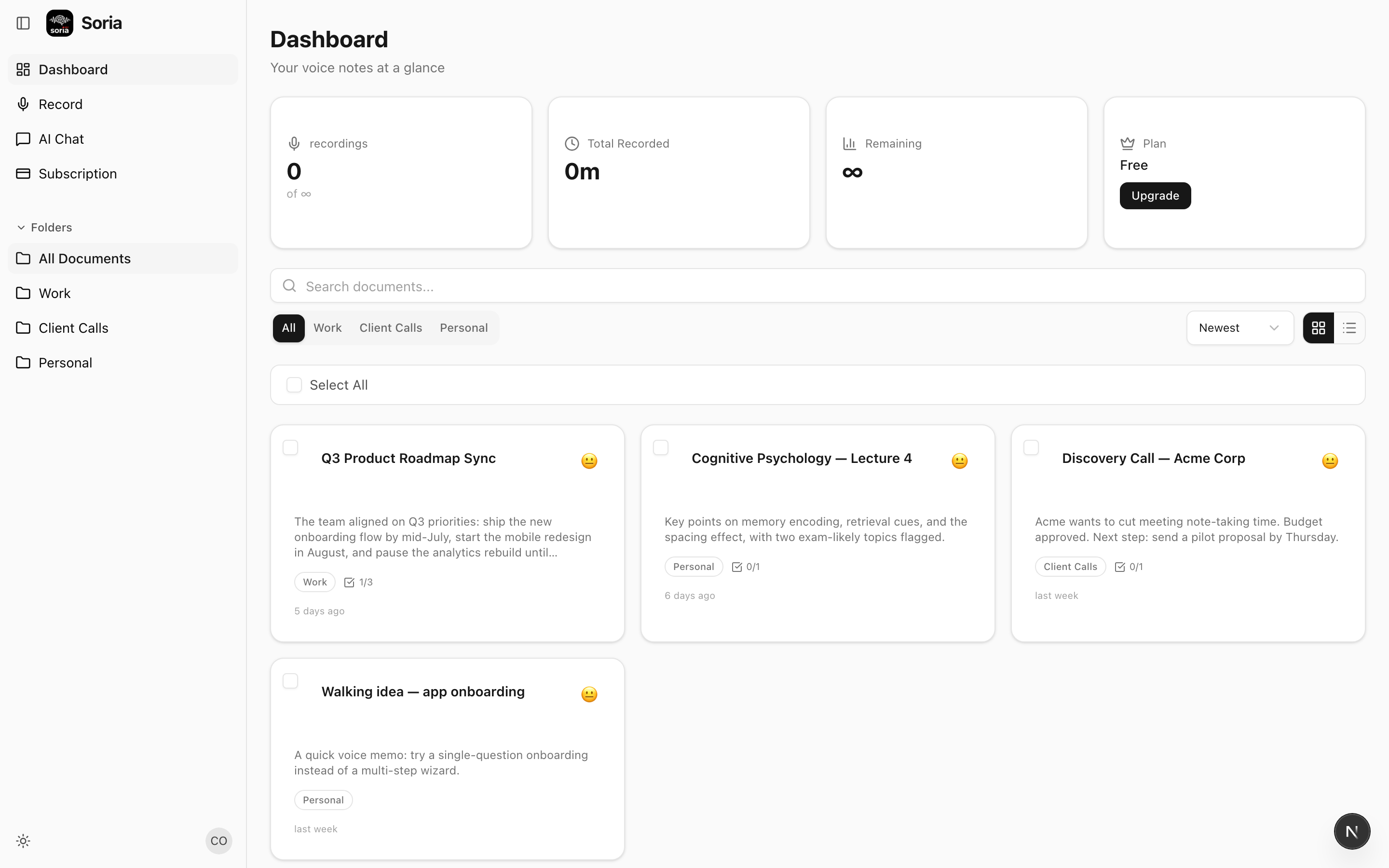
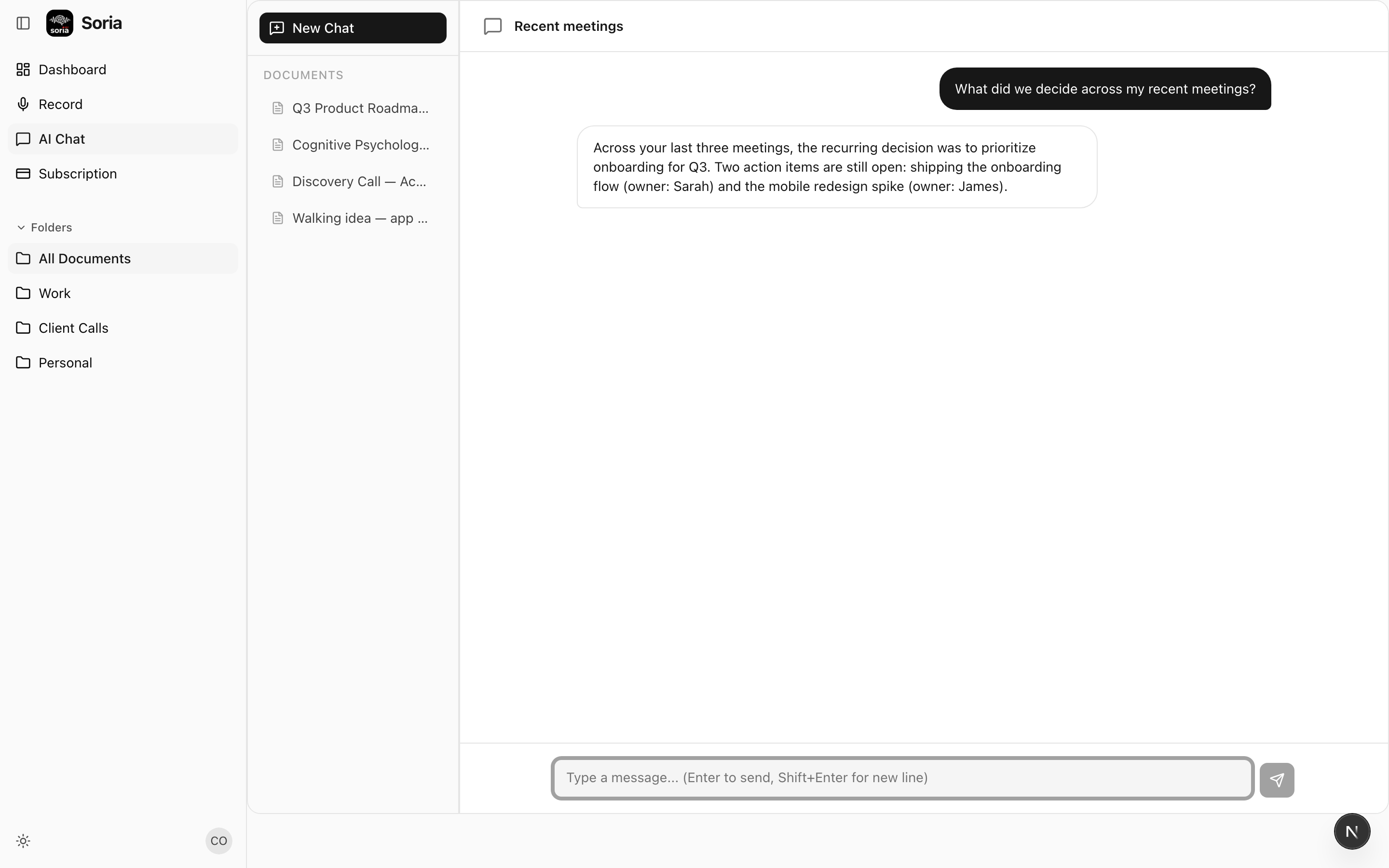
Traditional note-taking methods—scattered notebooks, endless email chains, or sticky notes—can’t keep up. Soria Voice Note offers a modern solution: instant voice recording with AI-driven transcription and organization.
2. Freelance Writers: Capturing Inspiration and Client Feedback
Common Environments and Challenges
Freelance writers often work from coffee shops, co-working spaces, or in transit. Inspiration or client feedback can strike at any time, requiring a way to instantly capture ideas without breaking their creative flow.
How Soria Voice Note Helps
- Capturing spontaneous ideas: When a story idea pops up during a walk or commute, writers can record a quick voice note instead of fumbling for pen and paper.
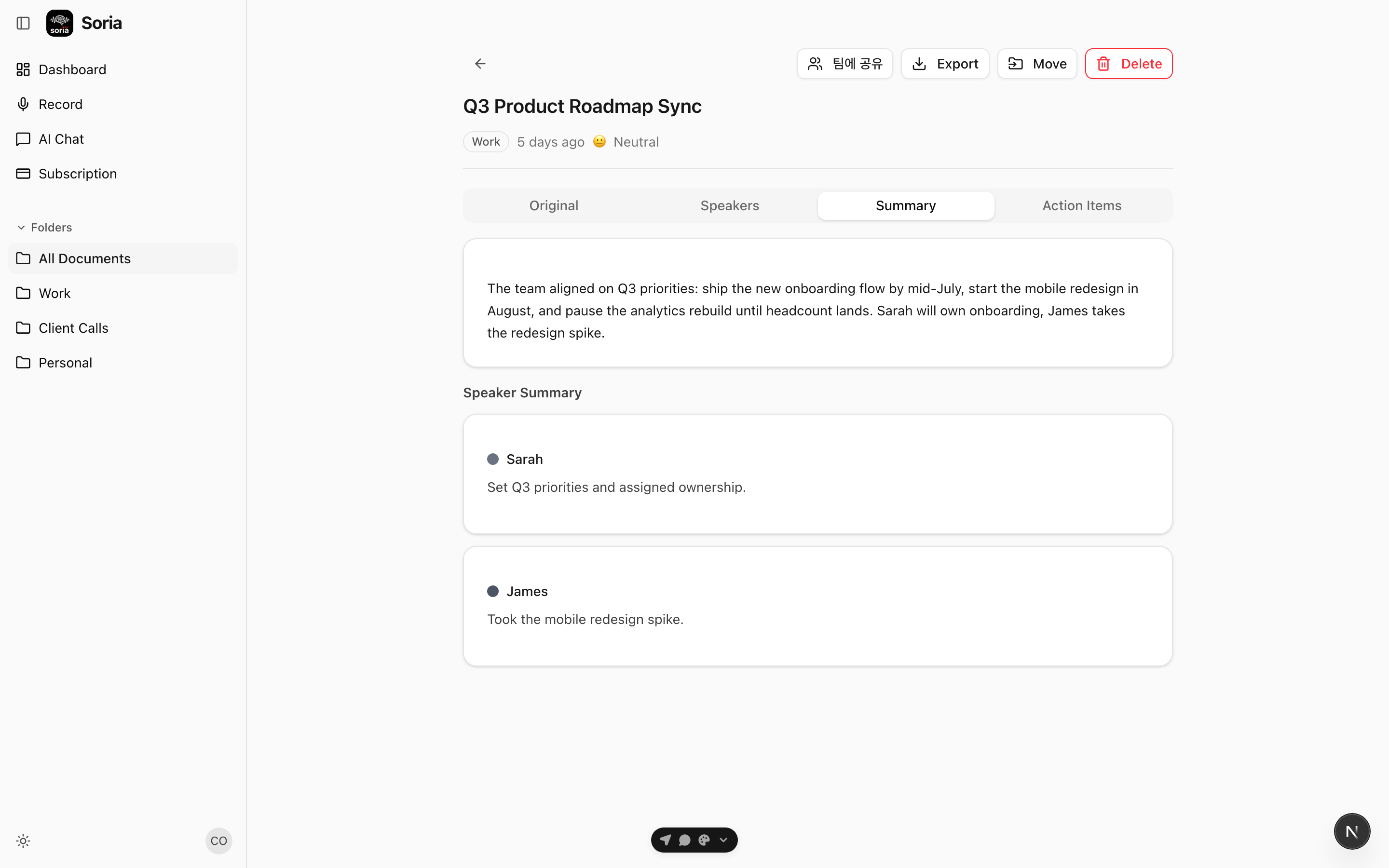
- Transcribing interviews & feedback: Writers often record interviews, brainstorming sessions, or client feedback. Soria Voice Note transcribes these recordings automatically, saving hours of manual transcription.
- Project-based organization: Writers can tag or organize notes by article, client, or deadline, making it easy to retrieve the right information when it’s time to write or edit.
Practical Example
Imagine a freelance journalist capturing interviews on location. Soria Voice Note not only records the conversation but also transcribes it for later reference, ensuring no detail is missed and deadlines are met.
3. Graphic Designers: Streamlining Creative Brainstorms
Common Environments and Challenges
Designers regularly meet with clients—often remotely—and need to keep track of preferences, feedback, and design revisions, sometimes while sketching or sharing screens.
How Soria Voice Note Helps
- Recording client preferences: During a call, designers can record client feedback and creative direction without interrupting the flow of conversation.
- Transcribing feedback: All verbal notes and discussions are transcribed, making it easy to reference exact client requests for later design revisions.
- Remote collaboration: Designers can share transcripts or audio notes with clients for confirmation, reducing miscommunication and speeding up approval processes.
Practical Example
A designer receives detailed feedback on a website mockup during a video call. Instead of scribbling notes, they use Soria Voice Note to record and transcribe the session. Later, they can search for specific feedback or share the transcript with a collaborator.
4. Consultants: Enhancing Client Communication
Common Environments and Challenges
Consultants spend much of their time in client meetings, strategy sessions, or on the phone. Key decisions and action items need to be documented and followed up promptly.
How Soria Voice Note Helps
- Documenting client calls: Consultants can record discussions and have them transcribed automatically, ensuring nothing falls through the cracks.
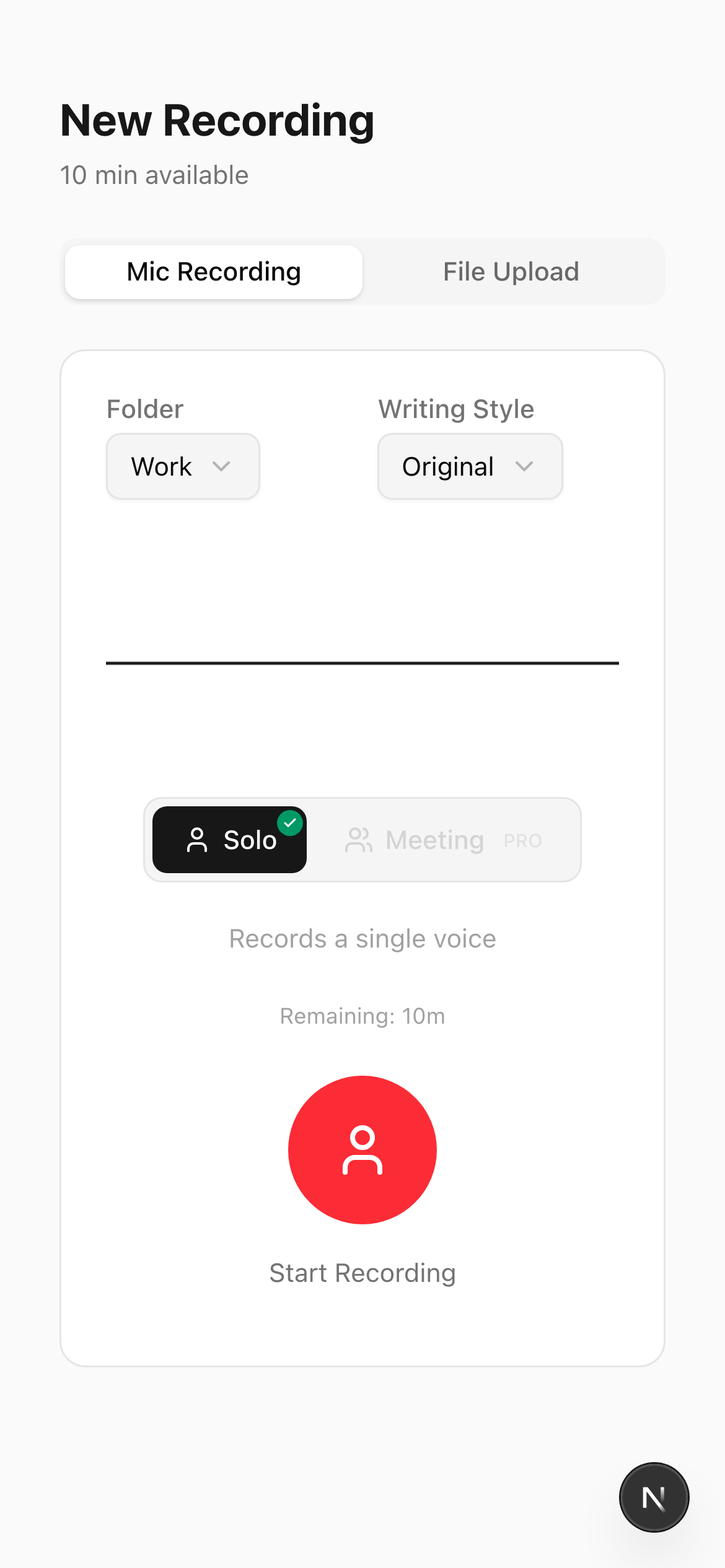
- Transcribing action items: Soria Voice Note highlights and organizes actionable points, making follow-up straightforward.
- Quick reports & summaries: Consultants can dictate reports or meeting summaries for themselves or clients, generating written documentation with minimal effort.
Practical Example
After a strategy session, a consultant dictates a quick summary using Soria Voice Note. The app transcribes and organizes the notes by client, making it easy to send a follow-up email or prepare for the next meeting.
5. Developers: Managing Technical Discussions and Ideas
Common Environments and Challenges
Developers, whether freelance or part of small teams, often jump between coding, client meetings, and technical brainstorming. Capturing complex discussions and requirements is critical for successful project delivery.
How Soria Voice Note Helps
- Recording technical conversations: Developers can quickly record explanations of code logic, project requirements, or feature ideas without leaving their code editor.
- Transcribing for reference: Voice notes are transcribed, making it easy to search for specific discussions or requirements weeks later.
- Sharing with clients or teams: Transcripts can be shared with non-technical stakeholders, bridging communication gaps.
Practical Example
A solo developer records a brainstorming session about a new feature. Later, they use the transcript to document technical requirements in the project management tool or share details with the client for feedback.
6. Marketing Specialists: Capturing Campaign Insights
Common Environments and Challenges
Marketing freelancers juggle multiple campaigns, client meetings, and competitive research. They need a way to quickly record ideas and feedback, often while multitasking or on the go.
How Soria Voice Note Helps
- Recording briefs and ideas: During a client meeting or while reviewing analytics, marketers can record insights and strategies as they happen.
- Transcribing competitor analysis: Marketers can dictate findings from competitor research, making it easy to build and update strategy documents.
- Organizing by campaign: Voice notes and transcripts can be categorized by campaign, streamlining collaboration and reporting.
Practical Example
A marketing specialist records a brainstorming session for a new social media campaign. Later, they transcribe and organize the notes by campaign, ensuring all insights are easily accessible when building presentations or reports.
Why Soria Voice Note Stands Out for Freelancers
Soria Voice Note isn’t just another voice recording app. It’s built for the realities of remote, one-person freelancers:
- AI-Powered Transcription: Fast, accurate, and searchable transcripts of every voice note.
- Seamless Organization: Tag, categorize, and retrieve notes by project, client, or deadline.
- Collaboration-Ready: Easily share audio or transcripts with clients, collaborators, or team members.
- Works Anywhere: Record from your phone, laptop, or tablet, whether you’re at your desk or on the move.
Practical Tips for Maximizing Soria Voice Note as a Freelancer
- Set up folders or tags for each client or project to keep notes organized.
- Record client calls and meetings (with permission) to ensure every detail is captured and actionable.
- Use voice notes for daily standups or end-of-day summaries, helping you track progress and plan ahead.
- Share transcripts with clients to provide transparency and build trust.
- Review and clean up notes regularly to keep your workspace uncluttered and focused.
Conclusion
Freelancers thrive on flexibility, creativity, and speed—but the demands of solo work can quickly become overwhelming without the right tools. Soria Voice Note is designed to meet the unique needs of one-person operations across diverse roles. By streamlining note-taking, transcription, and organization, it empowers freelancers to focus on what they do best—delivering exceptional work to their clients.
Ready to boost your productivity as a solo freelancer? Try integrating Soria Voice Note into your daily workflow and experience the difference firsthand.

