You Think Faster Than You Type
An idea shows up on a walk. A decision lands in a meeting. A question hits while you're cooking. In every case there's a gap between having the thought and capturing it — and most of the time, the thought loses.
Typing is the bottleneck. Speaking isn't. Soria is built around that one fact: talk, and let AI do the writing.
Here's what that actually looks like, and why it beats a traditional notes app.
Everything in One Place
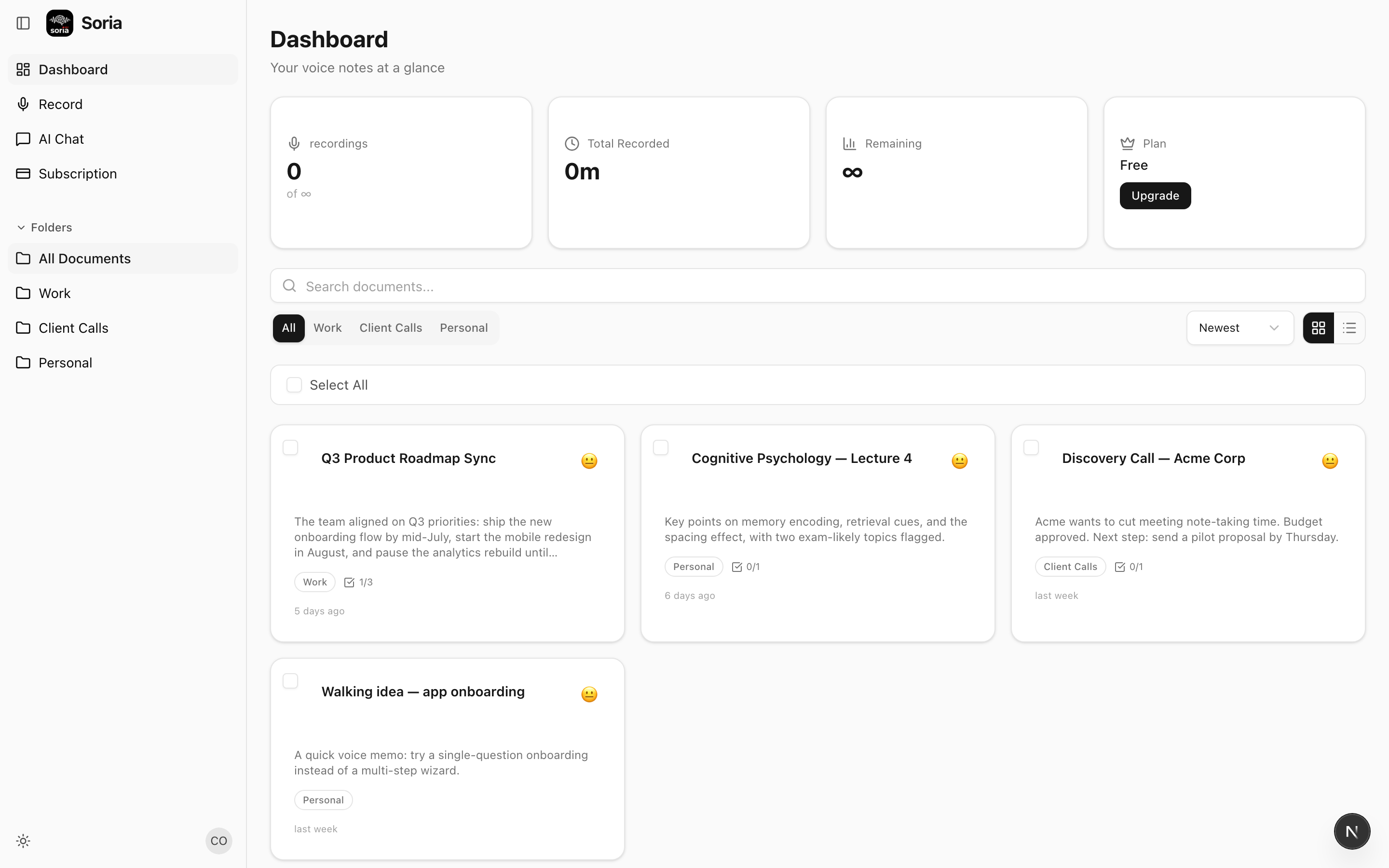
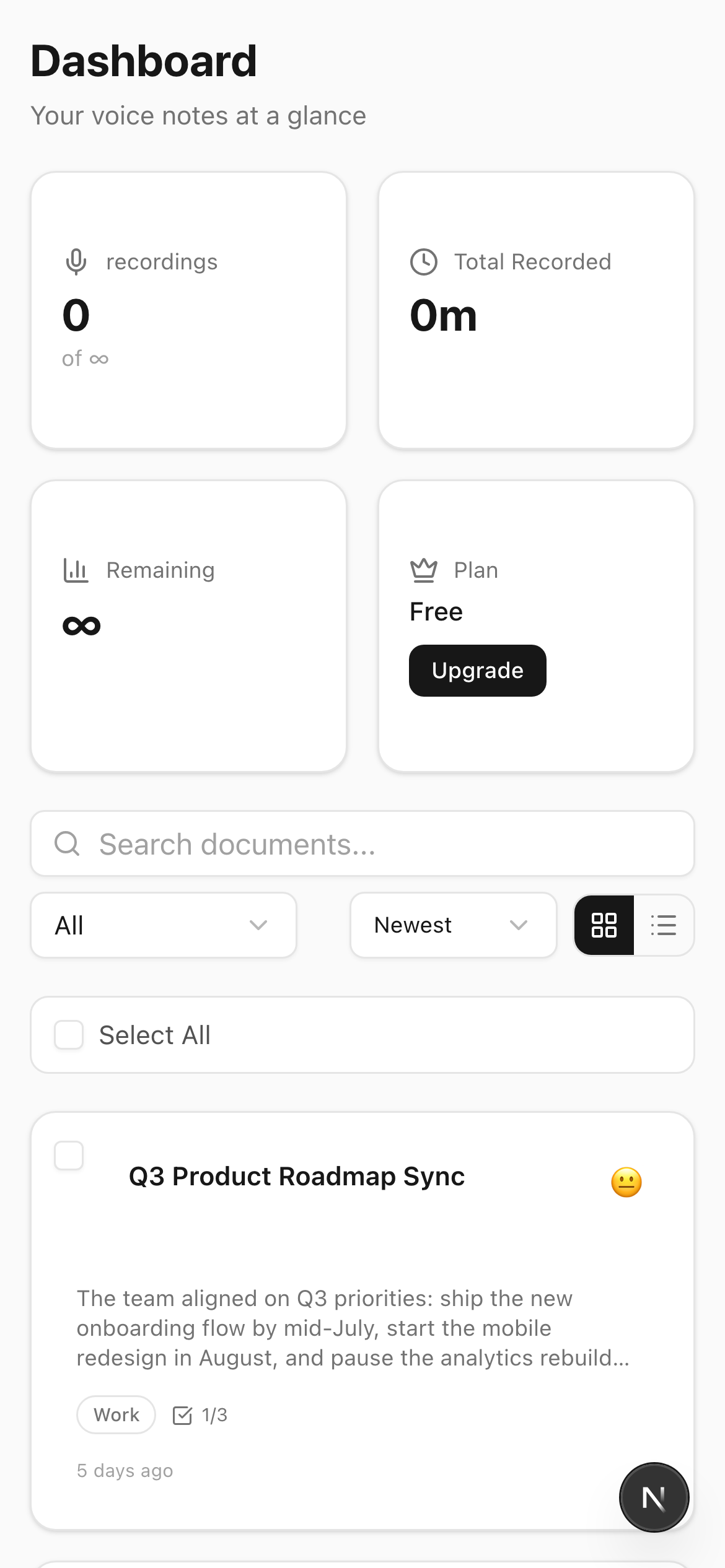
Open Soria and you see your notes — each one already titled and summarized, sorted into folders you control. Work, client calls, personal ideas, a class. Nothing is a wall of raw text. Every note arrives organized.
That's the first difference from a voice recorder app: a recorder gives you audio files you'll never listen to again. Soria gives you readable, structured notes.
And it travels with you — the same organized library lives on your phone, ready whenever an idea strikes.
From Raw Voice to Real Output
Speak naturally — accents, filler words, background noise and all. Soria transcribes it, then goes further:
- A clean summary of what you said.
- Action items pulled out automatically.
- Speaker labels when more than one person is talking.
- Translation, if you spoke one language but need the notes in another.
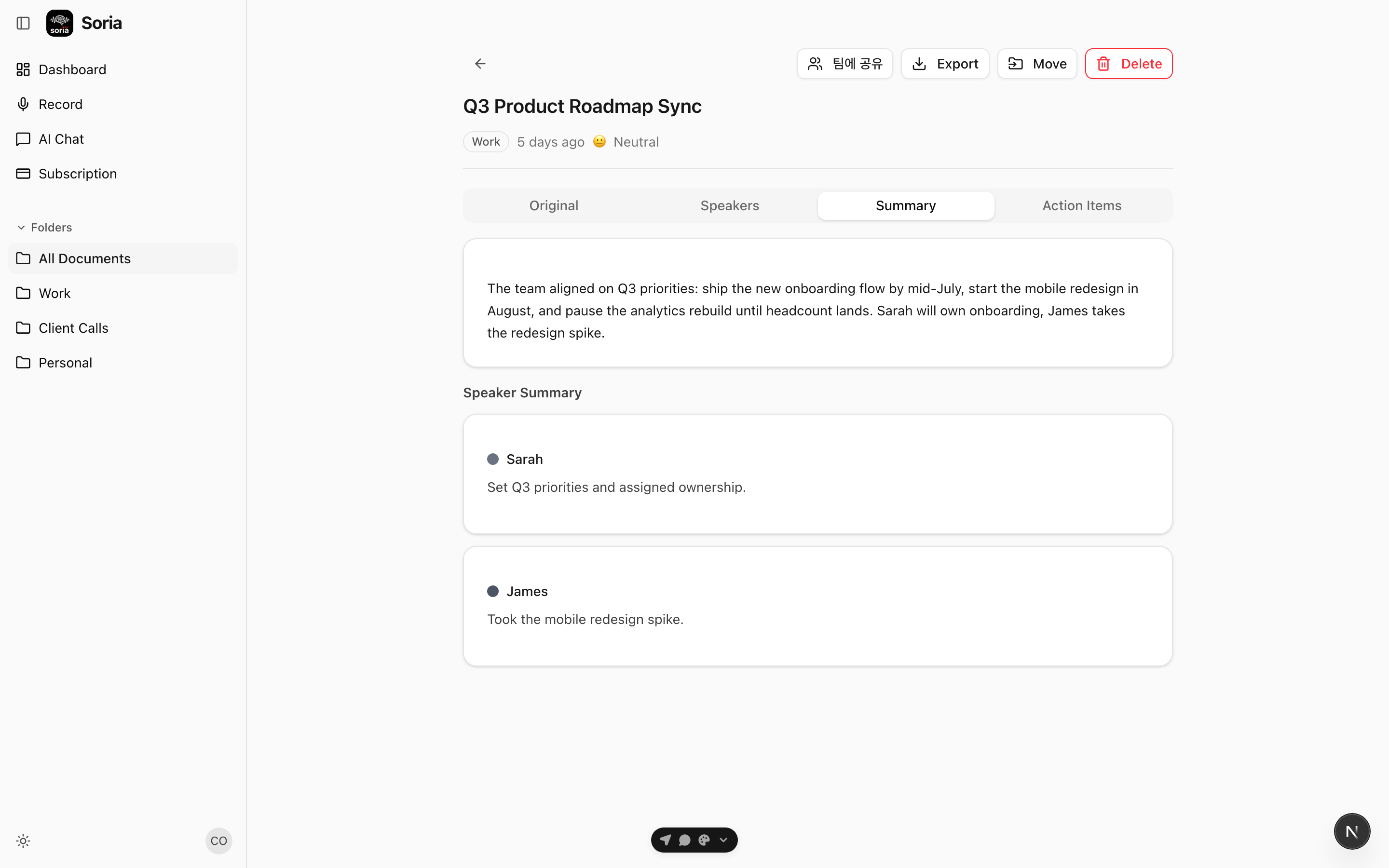
A typing-first notes app can't do any of this. It stores whatever you typed. Soria understands what you said and produces something useful from it.
Search That Actually Finds Things
Because every note is transcribed text, your entire voice history is searchable — by content, not just titles you forgot to write. "What did the client say about the budget?" is one search away, even if you recorded it weeks ago.
Why Not Just Use...?
A voice recorder? You get audio with no structure. Re-listening to a 40-minute recording to find one decision is its own chore.
A typing notes app? It only captures what you have time to type — which, in a live meeting, is almost nothing.
A meeting bot that only joins video calls? Great for scheduled Zoom calls, useless for the walk, the hallway conversation, the lecture, the doctor's visit. Soria records anything, anywhere, on your phone or the web.
Soria sits in the gap none of those cover: effortless capture + automatic understanding.
Who It's For
- Founders and consultants who live in back-to-back calls and need the decisions, not the transcript.
- Students capturing lectures and turning them into study notes.
- Anyone with ideas that arrive at inconvenient moments and deserve more than a half-typed memo.
The Bottom Line
The best note is the one you actually capture. Soria removes the friction between thinking and recording, then hands you back something organized instead of a pile of audio.
Stop typing your notes. Start talking.
Download the app or open the web version to see it for yourself.

